What’s new
Changelog
New features, improvements and fixes in the BLCKSHT app. Newest first.
Game Day learns basketball
Pick your team, find your section.
New
- Game Day now covers basketball too. On game nights, pick your team to see tonight’s tip-off and where fans of that team watch in your city. No spot verified yet? Tell us one with Know a spot? and we’ll go check it out.
- When your team is playing, the Next Game card shows the live score, your team first, and Final when it ends. Same as football.
Fixed
- Signing up with email and tapping the confirmation link while the app was already open used to show an error. It confirms now and takes you straight in.
Pick your account
Fixed
- Signed out and tapped Continue with Google? You now get to choose which Google account to use, or add another, instead of landing straight back in the last one.
Sign in your way
New
- Sign in with email, right under the Apple and Google buttons.
Improved
- A cleaner email sign-in screen: smaller heading, the back arrow clear of the clock, and just the fields you need.
Fixed
- The delete-account screen now lists exactly what gets deleted: your account, profile, saved events, itinerary and activity.
Run it back
Same venue, same vibe, new date? Don’t retype it.
New
- Curators can duplicate their own event from the three-dot menu. Everything carries over, flyer included, except the date and time. Pick a new one and post.
- BLCKSHT for iPhone has a new TestFlight home. If you’re on the old app, it’ll show you where to get the new one once.
Improved
- More watch parties show up under the right team.
Small wins, all over
New
- Live scores on the Game Day Next Game card while your team plays, and the final when it ends.
Improved
- If the app ever signs you out on its own, it tells you so instead of just dropping you on the sign-in screen.
- Curator events show up for the vibes their curator picked, and experiences are labelled more accurately.
- Home rows show eight picks each, and Good Eats gets a View all.
- Switching teams on Game Day keeps your pick at the front and shows placeholders while it loads, instead of the page jumping around.
- View all on Suggested for You keeps your picks personal when it opens Discover.
- Events from partner listings show their full write-up when there is one.
Fixed
- Your itinerary is in the same order everywhere you see it.
- Wellness is back on the vibe list when curators create an event.
- Curators can reach the ticket link when previewing their own event.
- Campaign pages only show the sections they’re meant to. No more football picker on a conference guide.
- College games and homecomings no longer show up as pro football watch parties.
Curators, this one’s for you
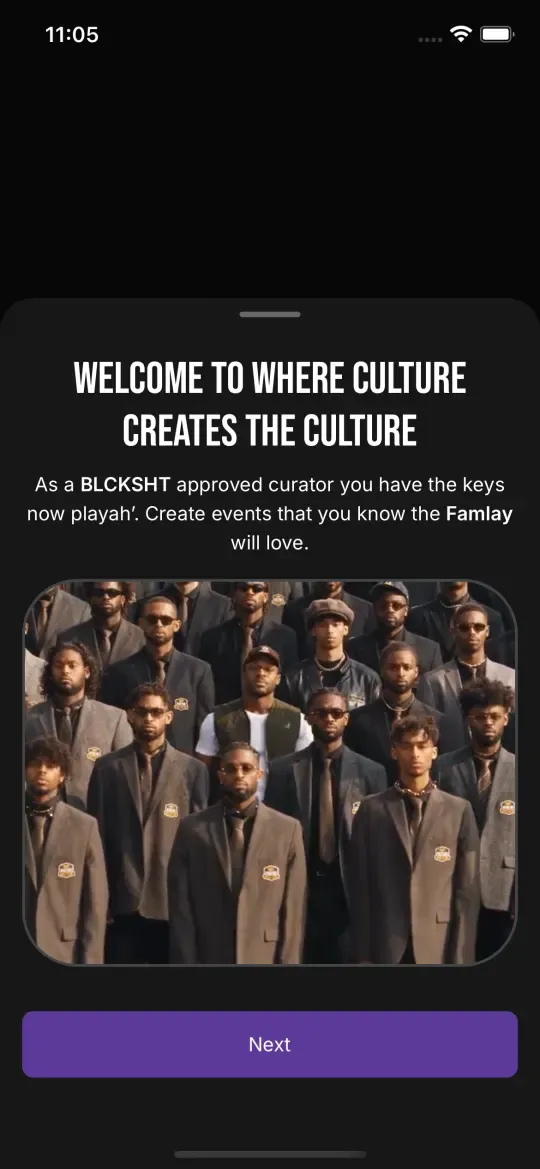
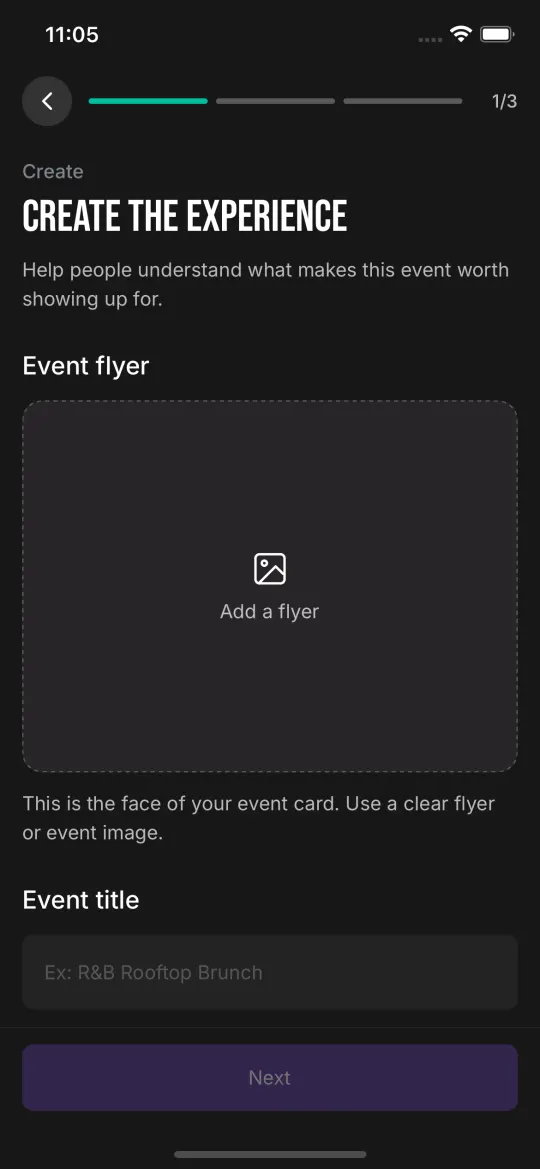
Becoming a curator now starts with a proper welcome, and building an event is a full page instead of a cramped pop-up.
New
- A welcome for new curators: a short video, what you get, and the community guidelines. Agree once and you’re in.
- Create an event on a full page in three short steps, with a preview before it goes live.
- Repeating events. Weekly, every 2 weeks or monthly, with an optional end date.
Improved
- Editing an event opens with everything already filled in, and you can jump straight to the step you need.
- Change one date of a repeating event, or that date and every one after it.
- Event cards show the month, like “OCT 16”, so you can tell this week from next month at a glance.
Share the move
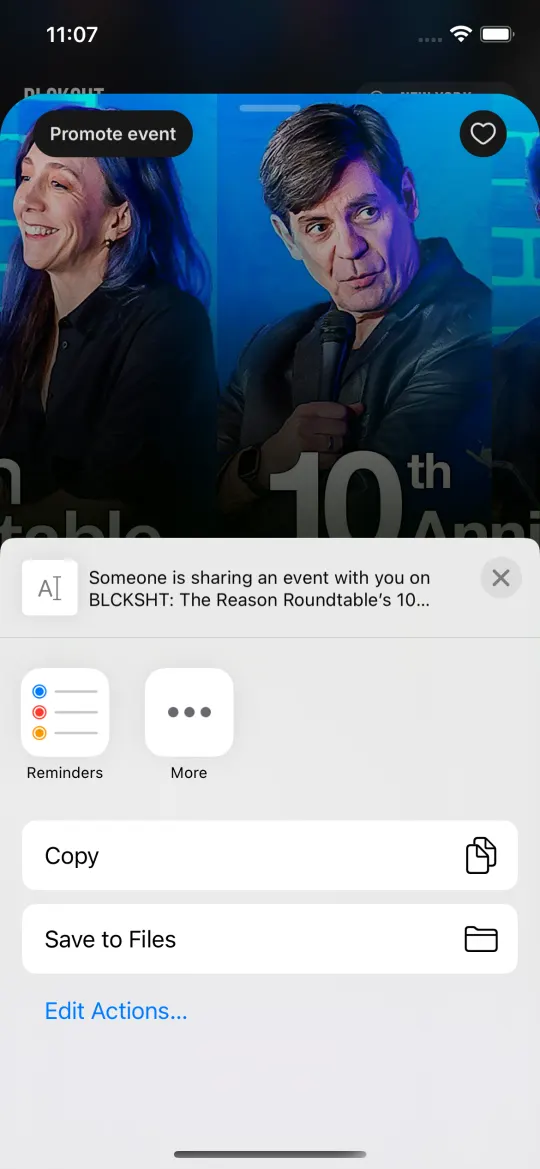
Found something good? Send it to the group chat.
New
- Share any event from its three-dot menu. Friends with the app open it straight in BLCKSHT. Friends without it get a simple page to download it.
- Curator Insights: see the views, saves, shares and followers your events get, updated every week.
Improved
- The “While you’re in” row on Home changes every day. Pull down to refresh it.
- The “Share usage data” question is clearer, and you can change your answer any time in Profile.
- A smaller, quicker Android app.
Fixed
- The app no longer jumps you back to Home while you’re browsing a curator or a campaign.
- Curators don’t see a Follow button on their own name anymore.
Links that land
New
- Shared event links open the app if you have it, or a simple download page if you don’t.
A whole new first impression
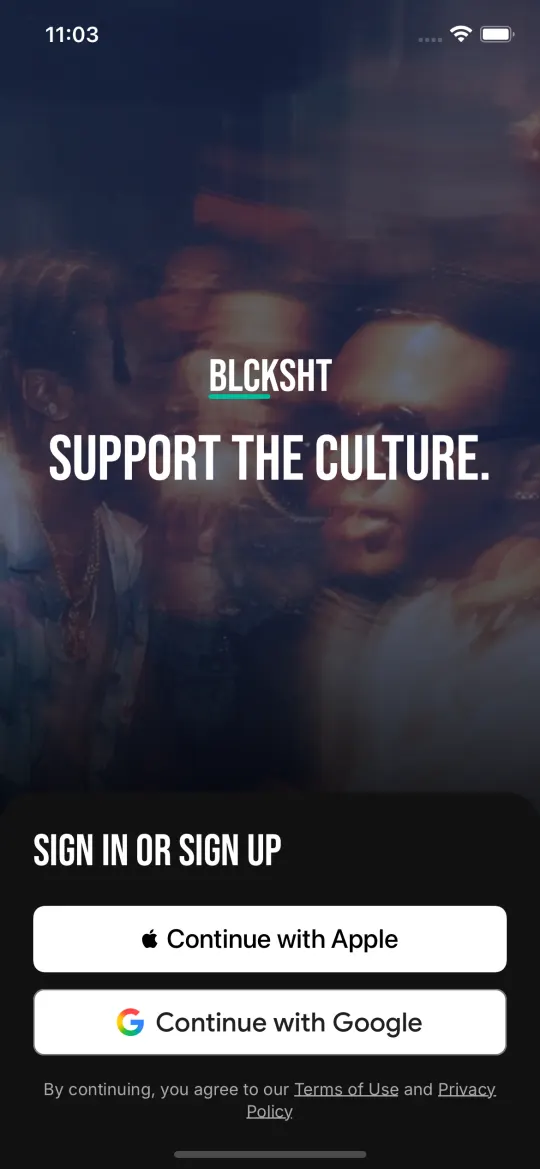
New intro, new sign-in, same culture.
New
- A new intro: two short scenes and a welcome from our CEO, Dr. Raina Henderson. Skip it whenever you want.
- Sign in on one screen with Apple or Google.
Fixed
- After deleting your account, opening the app on the same phone takes you to sign-in instead of straight into a new profile.
Game Day runs itself
New
- Game Day switches on by itself every game day, from Thursday nights through the playoffs.
- Know a spot? When we don’t have a watch spot for your team in your city, tell us where your people go.
A question you can actually answer
Fixed
- The usage-data question could show up blank. It now asks in plain words, with a clear yes and no.
Pick your team
New
- Game Day: pick your football team and see where its fans watch in your city. 745 spots across all nine cities, shown on game days only.
- The app asks before it records what you tap, and the answer starts as no. Change it any time in Profile.
Faster, fuller
Improved
- Almost every restaurant now has a photo, and they load faster.
Fixed
- Updates now show up the first time you open the app, not the second.
Vibes, sorted
New
- A Wellness vibe for yoga, sound baths and spa days.
Improved
- Experiences say what they are (Tour, Class, Nightlife, Wellness) as well as how they feel, and heritage experiences get their own label.
Fixed
- Live events now carry vibes, so filtering by vibe finds them.
Room to breathe
Improved
- Campaign banners got a refresh, and the next one peeks in from the edge so you know there’s more to swipe.
Fixed
- Headings across the app are the right size now, so more of what you came for fits on screen.
Your city, your call
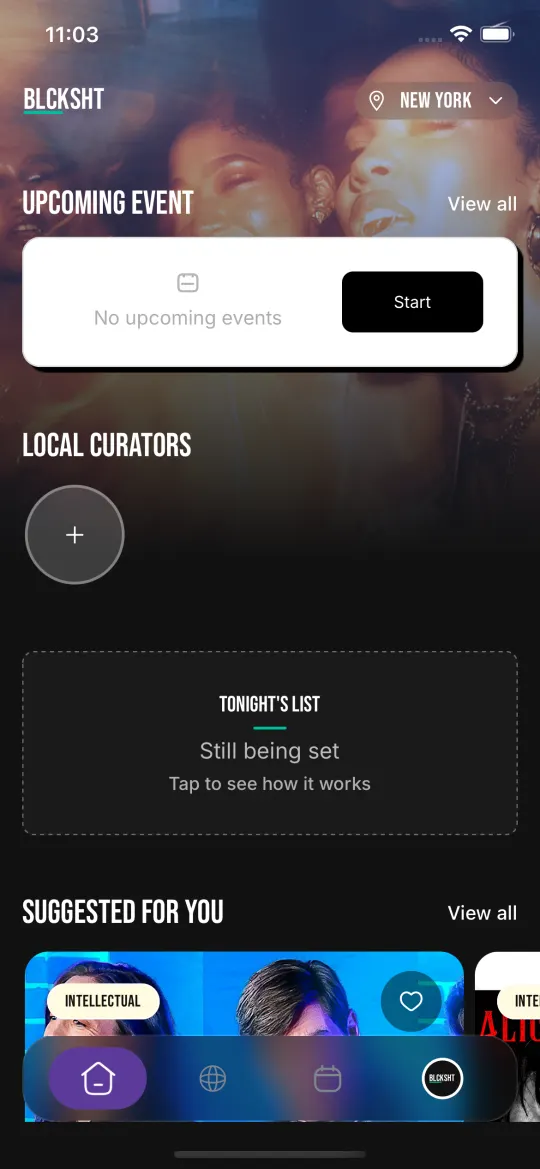
Everybody used to land in Dallas. Not anymore.
New
- The app opens in your city. If it can’t tell, it asks once and remembers. Travelling? It checks before switching.
- Report and block on curator events and curator pages.
Fixed
- Android only asks for your approximate location, just enough to know your city.
- The Privacy Policy and Terms links on the sign-up screen open, and both live in Profile too.
- No more duplicate restaurant cards.
Live shows, right there
New
- Concerts, comedy and live shows near you in Experiences, with one tap to get tickets from the seller.
Good eats, everywhere
New
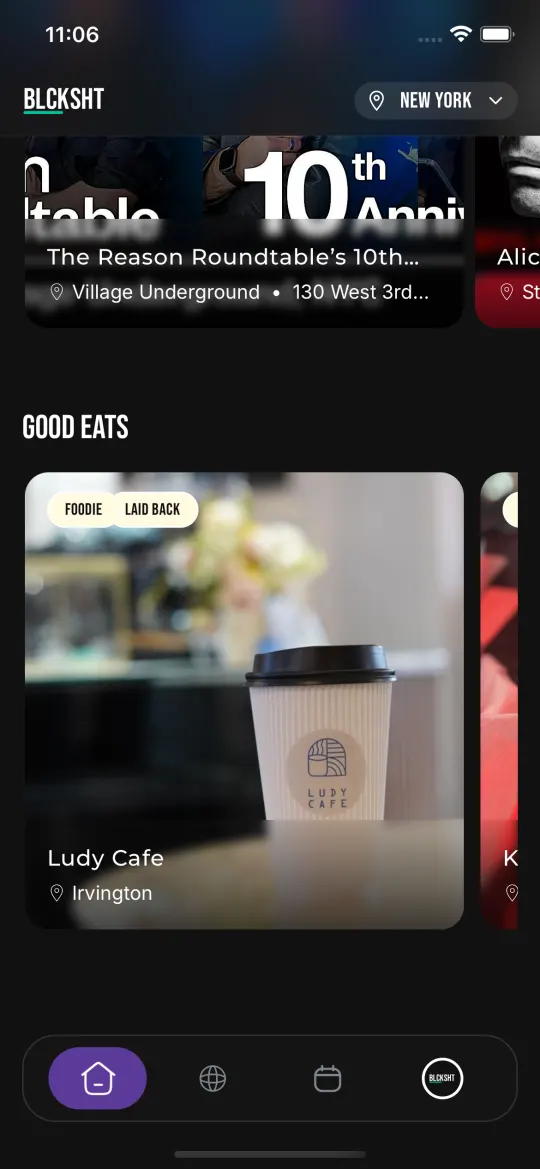
- Restaurant discovery: Good Eats on Home and a Restaurants filter in Discover.
- Open in Maps on every restaurant, plus Reserve where the spot takes bookings.
Improved
- Close to 1,000 Black-owned spots across nine cities, each with photos, ratings and a short write-up.
Fixed
- Restaurants stay in their own city.
The glow-up
Improved
- Your profile photo lives in the nav bar now.
- Discover got an Events, Restaurants and Experiences switcher, the favorite heart matches everywhere, and spacing got tighter across the board.